
Tip · Last checked
Official sources were last checked on 2026-10-12. For current availability, use the ChatGPT and Codex documentation, ChatGPT desktop app, Codex CLI, Codex IDE integrations, and Codex Cloud.
What is Codex?
Codex is OpenAI's coding agent. It is available through the ChatGPT desktop app, the CLI, Cloud, and IDE integrations. You can also check and continue Cloud tasks from ChatGPT on the web or on mobile.
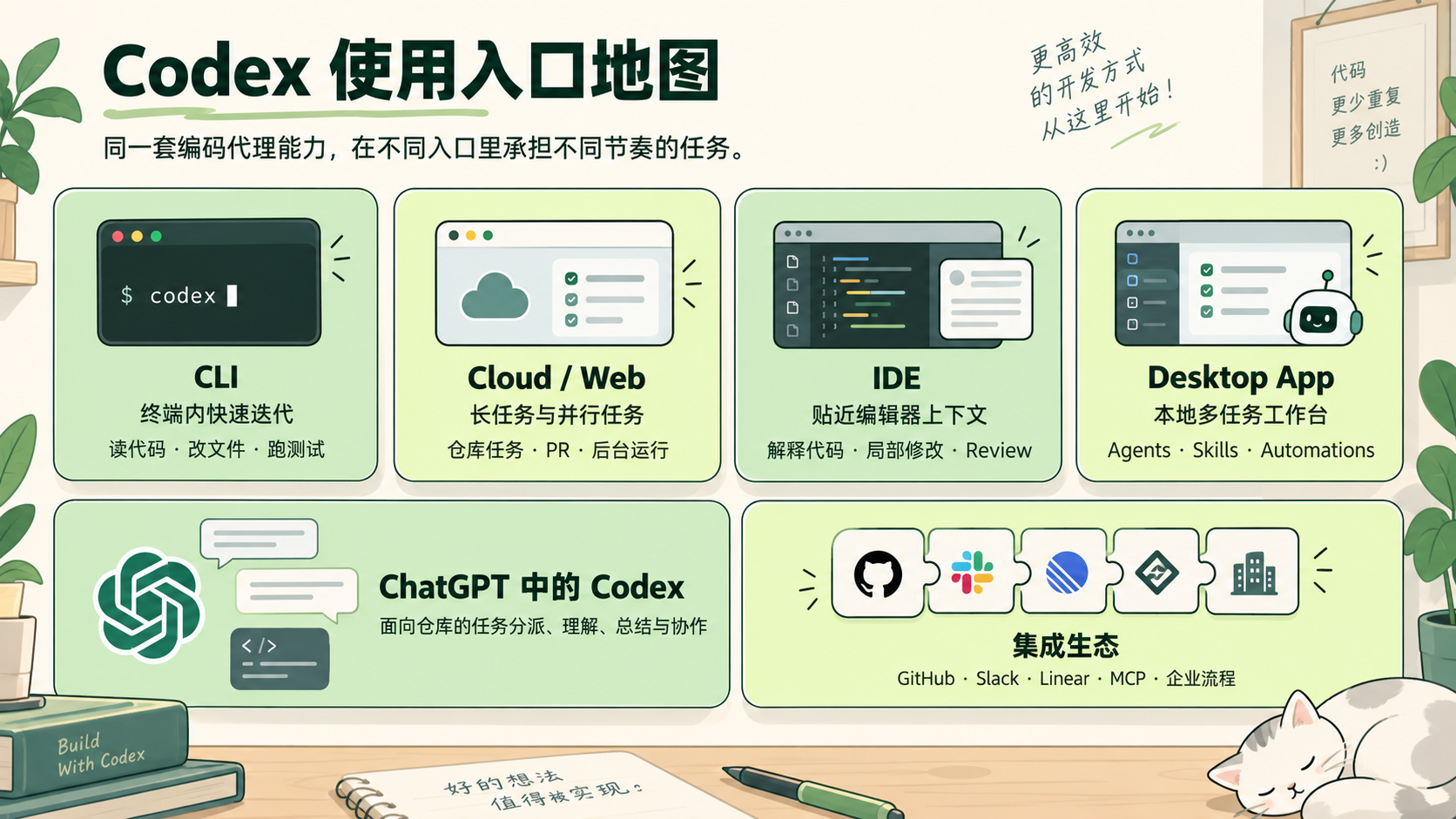
Entry comparison
| Entry | Best for | Typical tasks | Learning priority |
|---|---|---|---|
| CLI | Fast local iteration and automation | Fix bugs, add tests, run commands, review code | Start here |
| ChatGPT desktop app | A local workspace for multiple tasks | Multiple agents, Skills, scheduled tasks, and plugins | Advanced |
| Cloud / Web | Longer or parallel tasks | Repository tasks, pull requests, and background analysis | Teams |
| IDE | Editor context | Local edits, explanations, and code review | Daily use |
| ChatGPT Web / Mobile | Checking and continuing Cloud tasks anywhere | Connect repositories, inspect results, collaborate | Depends on account access |
How to choose an entry point
- Choose the CLI when you need to inspect command output frequently.
- Choose the ChatGPT desktop app when you need multiple agents, Skills, or scheduled tasks.
- Choose Cloud / Web for longer background work that may produce a pull request.
- Choose an IDE integration when you are editing specific files. Codex extensions are available for VS Code, Cursor, and Windsurf; Xcode and JetBrains have their own integrations.
- Choose ChatGPT Web / Mobile when you need to check or continue a Cloud task away from your workstation.
A first learning sequence
- Start with the CLI and establish a small, verifiable loop.
- Try the ChatGPT desktop app for local multi-task work and reusable Skills.
- Move to Cloud / Web for longer tasks, pull requests, and team collaboration.
- Read CLI options and config.toml to learn the important settings.
- Capture recurring instructions in
AGENTS.md, case notes, and team conventions.
The relationship between entry points and configuration
| Configuration topic | Main entry points affected | Related page |
|---|---|---|
AGENTS.md | CLI / desktop app / IDE / Cloud | AGENTS.md |
| CLI options | CLI | CLI options and commands |
| config.toml | CLI / desktop app / IDE | config.toml |
| Skills | Desktop app / CLI / IDE | Skills and plugins |
| Worktrees | Desktop app | Desktop app |
| Environments | Cloud / app | Cloud / Web |
| System and runtime environment | Desktop app / CLI / IDE | Platform differences |
| Sandbox and approvals | All entry points | Sandbox and approvals |